Preserve third-party records and seek help when the stakes are high
Modern vehicles can warn about hazards, apply the brakes, adjust speed, and help keep a car centered in its lane. After a collision, those features may become an important part of the investigation. A driver may say adaptive cruise control was active, driver assistance crash evidence, automatic emergency braking failed, or lane centering disengaged before impact. Memory alone cannot reliably answer those questions.
The key question is not simply whether the vehicle had advanced driver-assistance systems, or ADAS. Investigators need to determine which feature was available, whether it was active, what warnings appeared, what the driver did, and what the vehicle recorded. Evidence may exist in the car, a manufacturer account, a phone, repair records, roadside cameras, or third-party systems. It may change or disappear after towing, repairs, software updates, resets, or routine overwriting.
This guide explains what to preserve after a crash involving adaptive cruise control, lane centering, lane keeping, collision warnings, blind-spot intervention, or automatic emergency braking. Data availability varies by vehicle, model year, manufacturer, and jurisdiction.
Identify the System and Preserve Evidence Before It Changes
Start by separating marketing language from the feature that may actually have been active. Drivers often use terms such as “self-driving,” “autopilot,” or “automatic driving” even when the vehicle provides only assistance. NHTSA describes Level 2 driver assistance as continuous support with both steering and acceleration or braking while the human driver remains responsible for driving and monitoring the road. A warning-only feature, such as forward collision warning, is different from a feature that can intervene by braking or steering.
Determine What the Vehicle Could Do and What Was Engaged
Record the exact vehicle, feature names, settings, and dashboard messages
Photograph the vehicle identification number, license plate, odometer, dashboard, center display, steering-wheel controls, windshield camera area, radar locations, and exterior sensors. Write down the year, make, model, trim, software version, and any optional driver-assistance package. Use the owner’s manual and the vehicle’s settings menu to identify the manufacturer’s exact feature names rather than relying on a generic label.
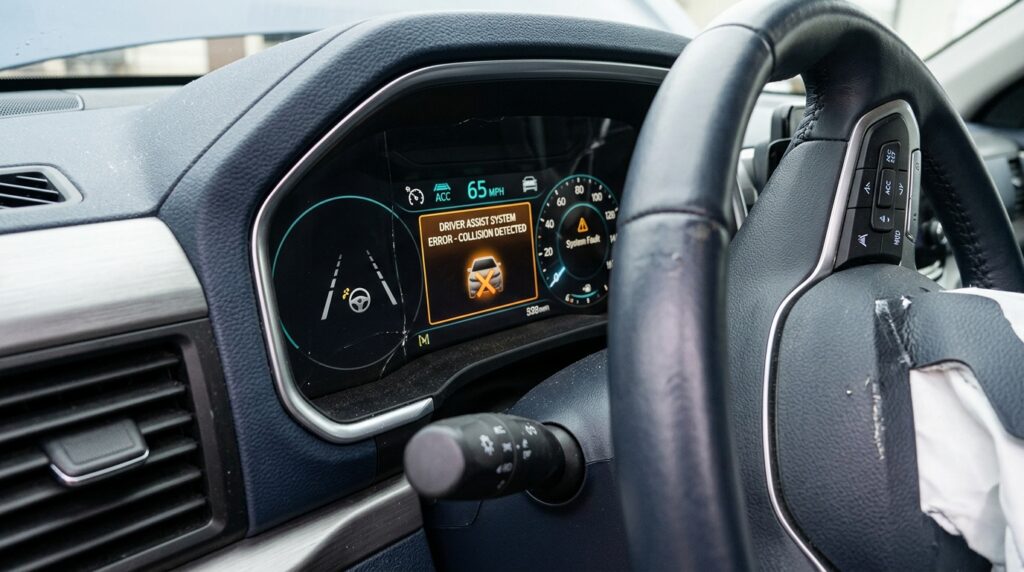
Document following distance, cruising speed, lane-centering status, collision-warning sensitivity, driver-monitoring alerts, and disabled features. Photograph warnings before they are cleared. If the display showed “camera blocked,” “take over,” “hands on wheel,” “brake,” or “sensor unavailable,” record the wording closely.
Create a factual timeline while memories are fresh. Note the road, lane, direction, weather, lighting, traffic, estimated speed, markings, construction, glare, and anything that could have obstructed a sensor. Record when the feature was activated, the last warning, driver steering or braking, and any disengagement. Mark uncertain details as unknown.
Protect the vehicle, keys, accounts, phone, and software state
Tell the towing yard, insurer, repair shop, and vehicle owner in writing that the vehicle and its electronic data may be relevant. Ask that the vehicle not be destroyed, sold, dismantled, repaired, powered repeatedly, updated, reset, or released without notice. A lawyer may use a formal preservation letter when litigation is reasonably anticipated. The correct process depends on local law and who owns or controls the vehicle.
Do not delete the manufacturer app, remove the vehicle from the account, factory-reset the infotainment system, or clear trip history. Preserve account emails, app notifications, remote diagnostics, route history, service alerts, and support conversations. Screenshot the app and request an export when available. Back up the phone without altering original files.
A software update may change feature behavior, settings, calibration, warnings, or version information. Photograph the software screen and save update notices. Collect repair invoices, calibration reports, recalls, prior sensor complaints, windshield replacements, collision repairs, alignments, modifications, and diagnostic scans. These records may reveal calibration needs or unresolved conditions.
Collect Crash Data Beyond the Visible Damage
Request EDR, telematics, camera, and diagnostic information
Many vehicles contain an event data recorder, often called an EDR. Federal rules standardize certain data for vehicles that are equipped with one. Depending on the vehicle and event, an EDR may record information such as indicated speed, accelerator input, brake status, seat-belt status, air-bag deployment, change in velocity, and other specified elements. An EDR is not automatically a complete record of every driver-assistance action, and some crashes may not trigger a usable recording.
Driver-assistance evidence may also exist outside the EDR, including telematics, fault codes, freeze-frame data, driver-monitoring records, camera clips, sensor status, engagement logs, infotainment data, navigation history, phone records, and cloud services. NHTSA notes that recording and remote-transmission capabilities differ among manufacturers and systems.
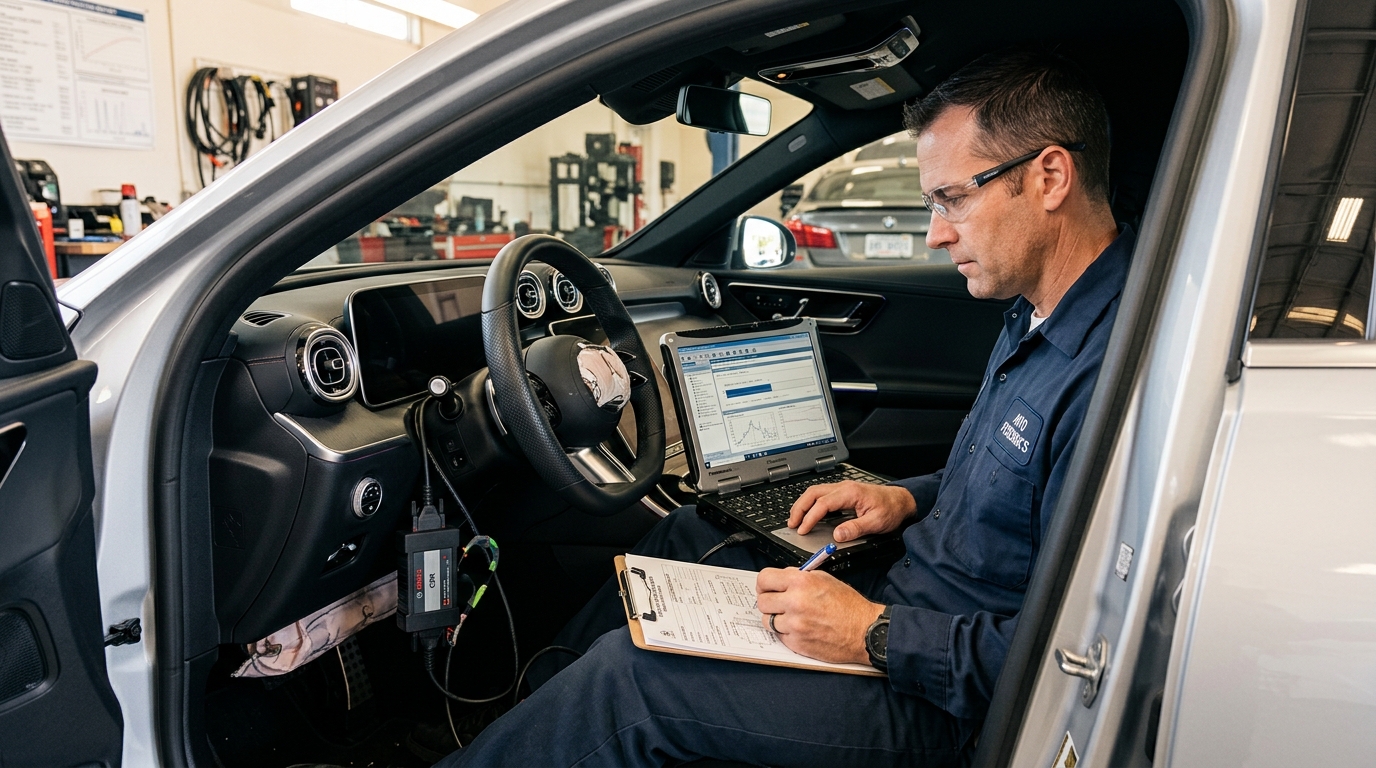
Use a qualified crash-data or automotive-electronics professional when a download or inspection is needed. Informal access can alter data, create chain-of-custody disputes, or produce a report that is difficult to interpret. The person performing the inspection should document the vehicle condition, tools, software versions, connection method, files created, and any limitations. Both the original data and a readable report should be preserved.
Also collect conventional evidence. Photograph the entire scene, vehicle positions, tire marks, debris, road signs, lane markings, guardrails, lighting, sight distances, and damage to every vehicle. Obtain the police report, emergency-call records, witness contacts, dashcam footage, commercial surveillance video, traffic-camera footage, and photographs taken by other people. A technology dispute still requires a complete reconstruction of what happened around the vehicle.
Build a Defensible Timeline and Avoid Costly Evidence Gaps
Electronic records are most useful when they are compared with physical evidence and reliable timestamps. One source rarely answers every question. A dashboard photo may show that a feature was available, but not that it remained engaged at impact. An EDR may show braking, but not why braking occurred. A telematics log may show an alert, but not whether the driver saw it. A strong investigation tests the sources against one another.
Organize the Evidence and Get Qualified Review
Promptly contact businesses or agencies that may hold video or electronic records, including manufacturers, fleet or rideshare operators, rental companies, repair centers, toll authorities, parking facilities, nearby businesses, and traffic agencies. Retention periods differ, and a customer-service request may not create a legal preservation duty. Serious cases often require advice from a licensed attorney.
Create an evidence index listing each item, source, date obtained, original filename, storage location, and handler. Keep originals unchanged and work from copies. Preserve metadata, note time-zone differences or inaccurate clocks, and compare police records, calls, photographs, video, vehicle data, phone records, medical records, and witness statements without forcing uncertain events into an exact sequence.
Avoid public speculation. Do not post that the car “drove itself,” that a feature “failed,” or that another person was distracted before the evidence has been examined. Do not alter the vehicle to recreate the event on a public road. Don’t ask an unqualified person to erase fault codes, install updates, disconnect modules, or repair sensors before inspection. Don’t sign a release that transfers or destroys the vehicle until you understand whether further examination is necessary.
Preserve third-party records and seek help when the stakes are high
Consider professional help when the crash caused serious injury or death, involved a pedestrian or cyclist, included a commercial or fleet vehicle, raised a possible product defect, or produced conflicting accounts about system engagement. A qualified attorney can address preservation duties and access requests. A trained reconstructionist or vehicle-data specialist can evaluate physical evidence and electronic records. Medical professionals should separately evaluate injuries and recovery needs.
For broader organization, use Injory’s claims and legal basics resources and keep records using the same disciplined approach described in our e-bike and e-scooter accident guide. You can also review the road and traffic injury library and the recovery and rehabilitation section.
NHTSA’s Standing General Order on Crash Reporting requires identified manufacturers and operators to report certain crashes involving automated driving systems or Level 2 ADAS. That federal reporting program does not replace a consumer’s own evidence-preservation work, and it does not mean every crash will produce a complete public record.
The goal is straightforward: preserve the vehicle, identify the exact feature, protect electronic records, collect ordinary scene evidence, and separate facts from assumptions. Driver-assistance data can help, but a single data point may mislead when taken out of context. Careful preservation gives qualified professionals the best chance to determine what happened before the crash.
This article is for general educational purposes and does not provide legal, engineering, insurance, or medical advice. Data availability, ownership rights, privacy rules, preservation duties, and filing deadlines vary by jurisdiction and vehicle. Seek qualified professional guidance for a serious crash or disputed technology issue.